Reviews don’t just show what clients think — they tell a story.
Sometimes they’re glowing and heartwarming. Sometimes they’re helpful and constructive. Sometimes they could use a little clarification.
Up until now, you haven’t had a way to respond publicly on Blys… which meant your voice, your professionalism, and your perspective were missing.
Not anymore.
You can now reply directly to the reviews you receive, giving you the chance to:
✨ thank clients for their feedback,
✨ clarify details when needed,
✨ show your personality and professionalism,
✨ and help future clients understand the kind of service you deliver.
And because finding the right words can be tough (and time-consuming), you can now use AI to help you craft your responses — warm, clear, polished, and totally you.
Even better: you can Improve, Rewrite, or Rephrase any AI-generated reply until it feels just right.
Replying to reviews isn’t just good etiquette — it’s smart business.
A thoughtful response helps you:
- Build trust and show you care.
- Show professionalism when handling feedback.
- Give context when something needs clarifying.
- Stand out to new clients scrolling through reviews.
- Save time with AI helping you write clean, friendly replies.
It’s your voice, your message, your professionalism — just with a little AI polish when you need it.
How It Works:
For Mobile
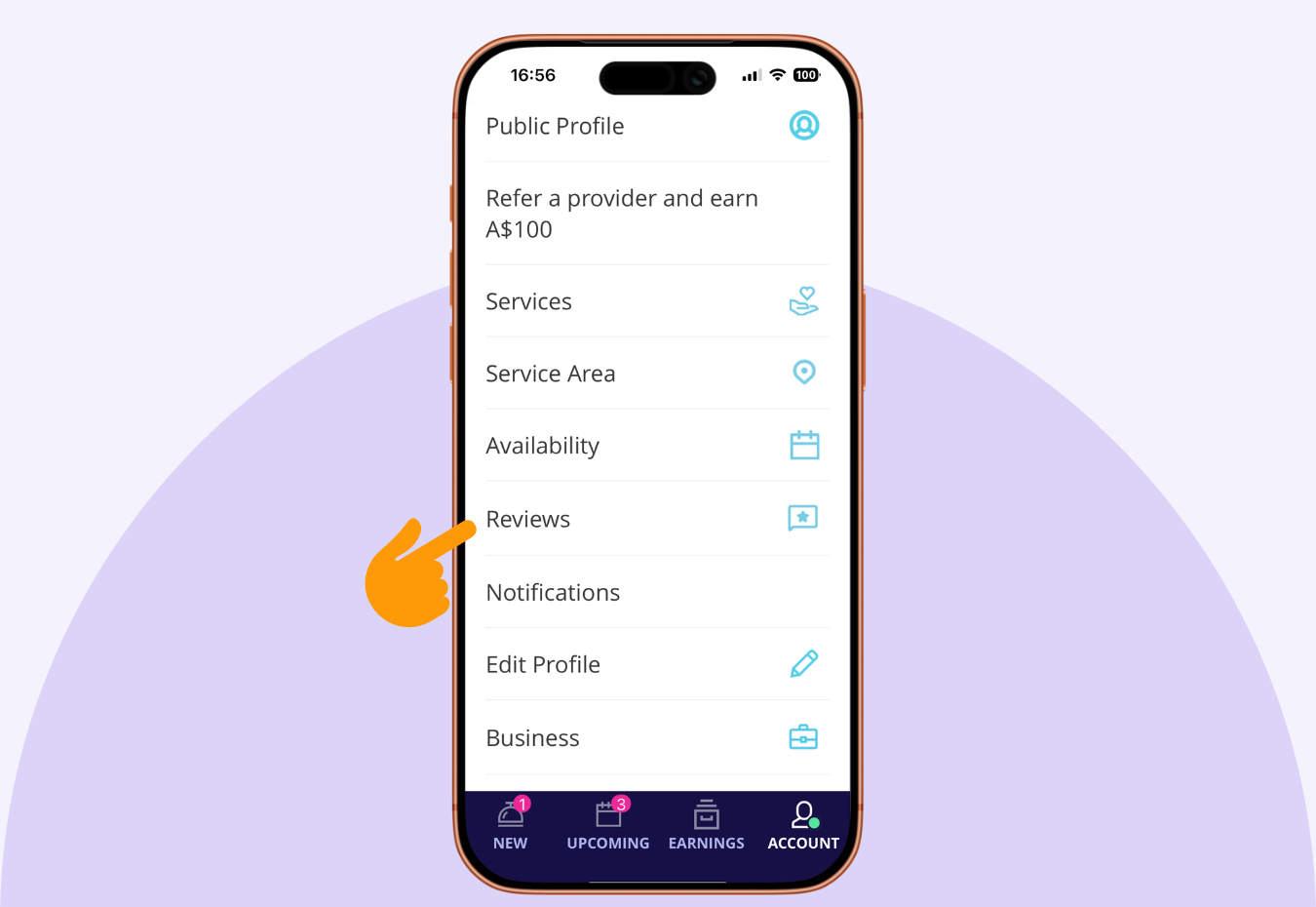
1. Go to Account in the Blys Pro app and tap Reviews to see what clients have shared.
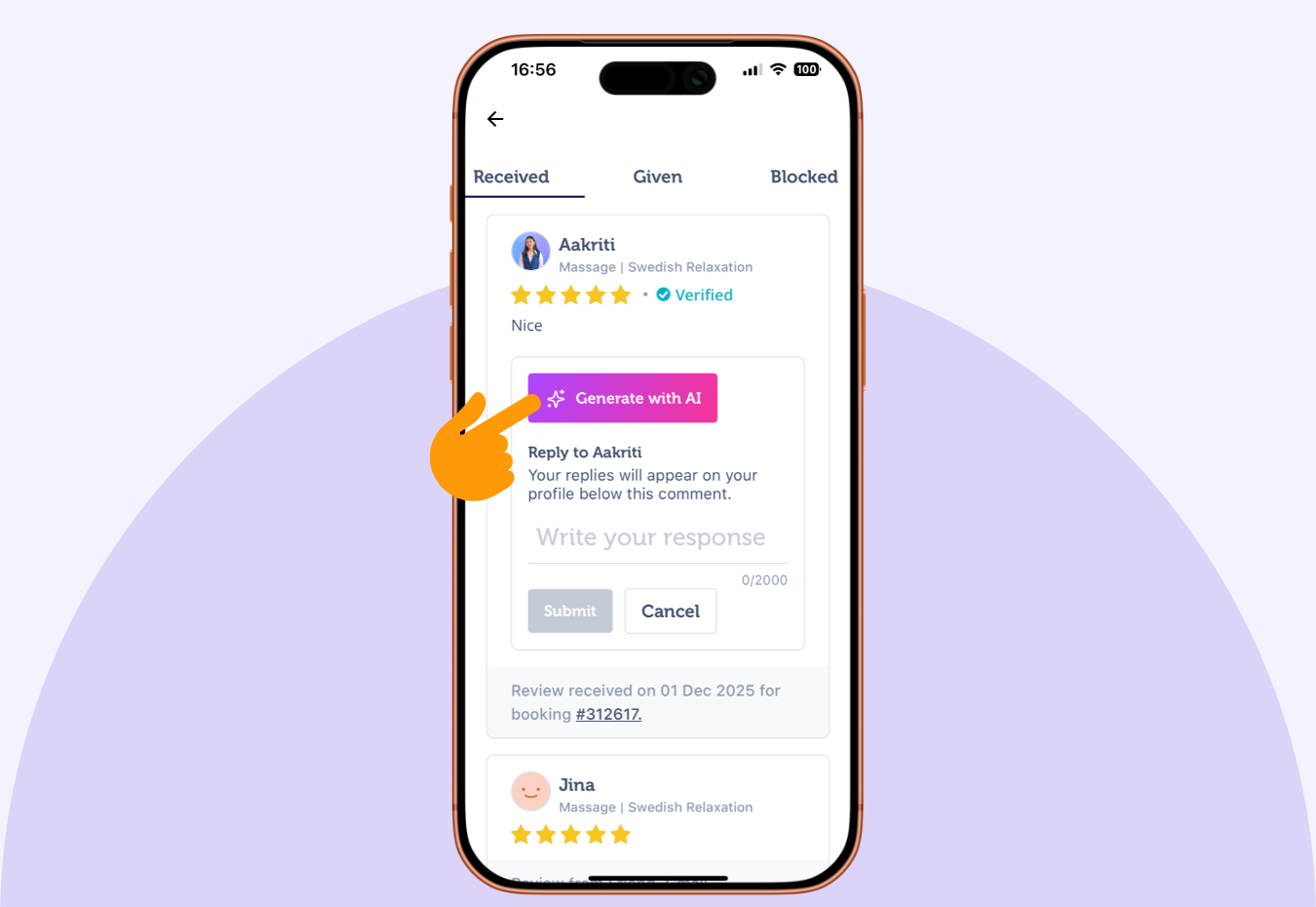
2. Select a review from the Received section and tap Leave Public Response.

3. Type your own message or tap Generate with AI for a suggested reply.
4. Then choose:
- Use this reply if it feels right
- Try again for a new version
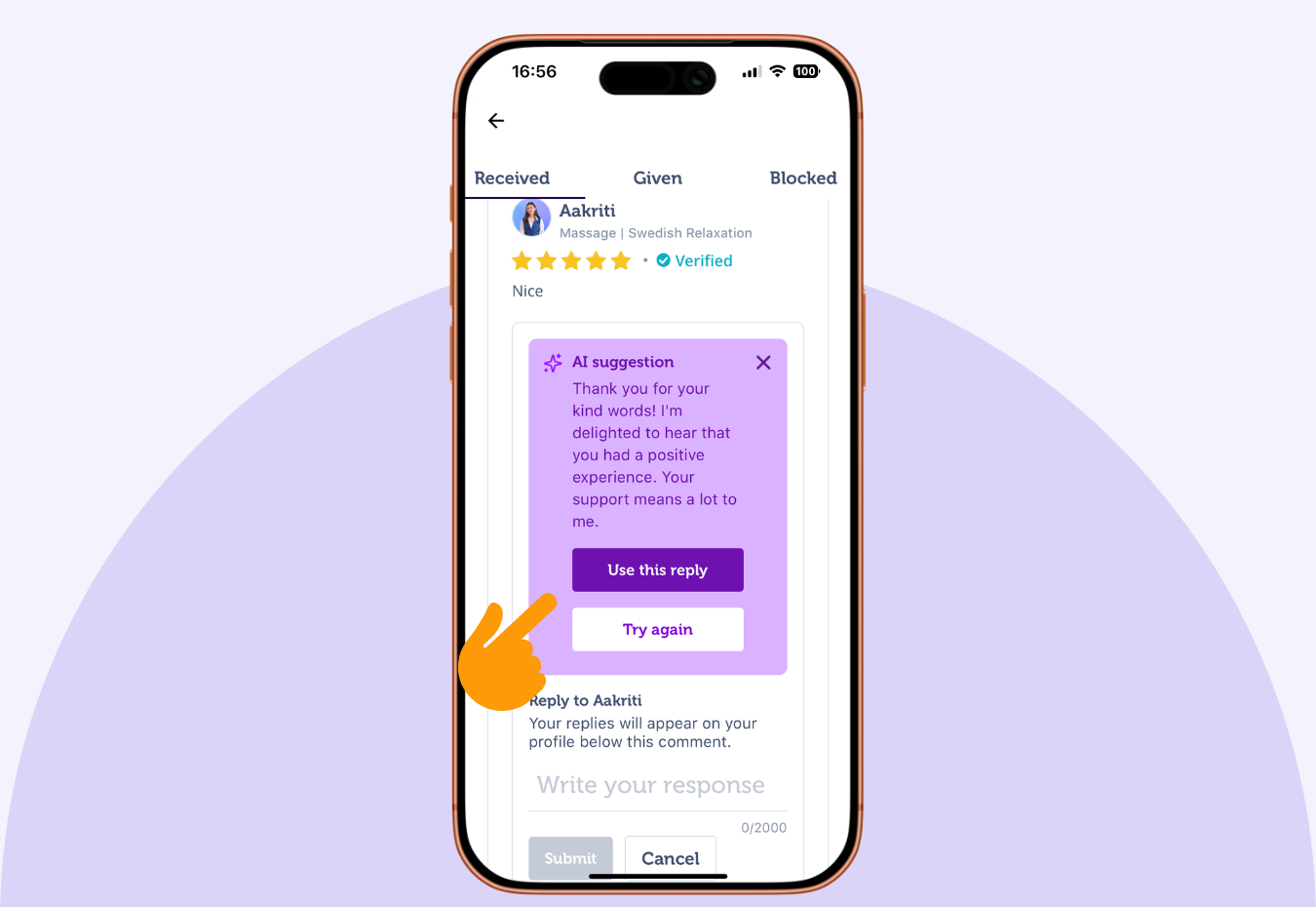
5. Want to tweak it? You can also Improve, Rewrite, or Rephrase the AI reply until it sounds exactly like you.

For PC
1. Head to your Pro Dashboard and go to Reviews.
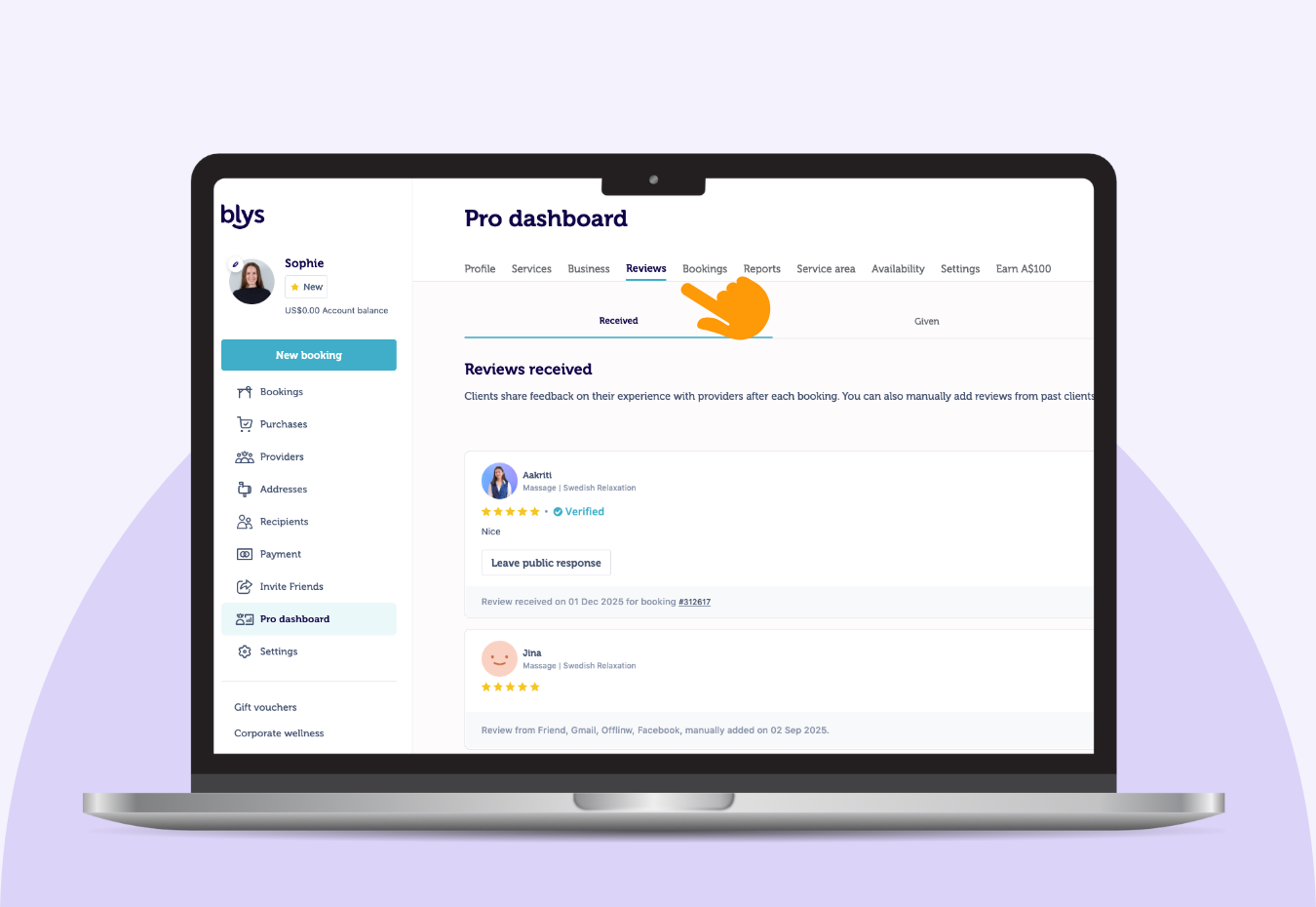
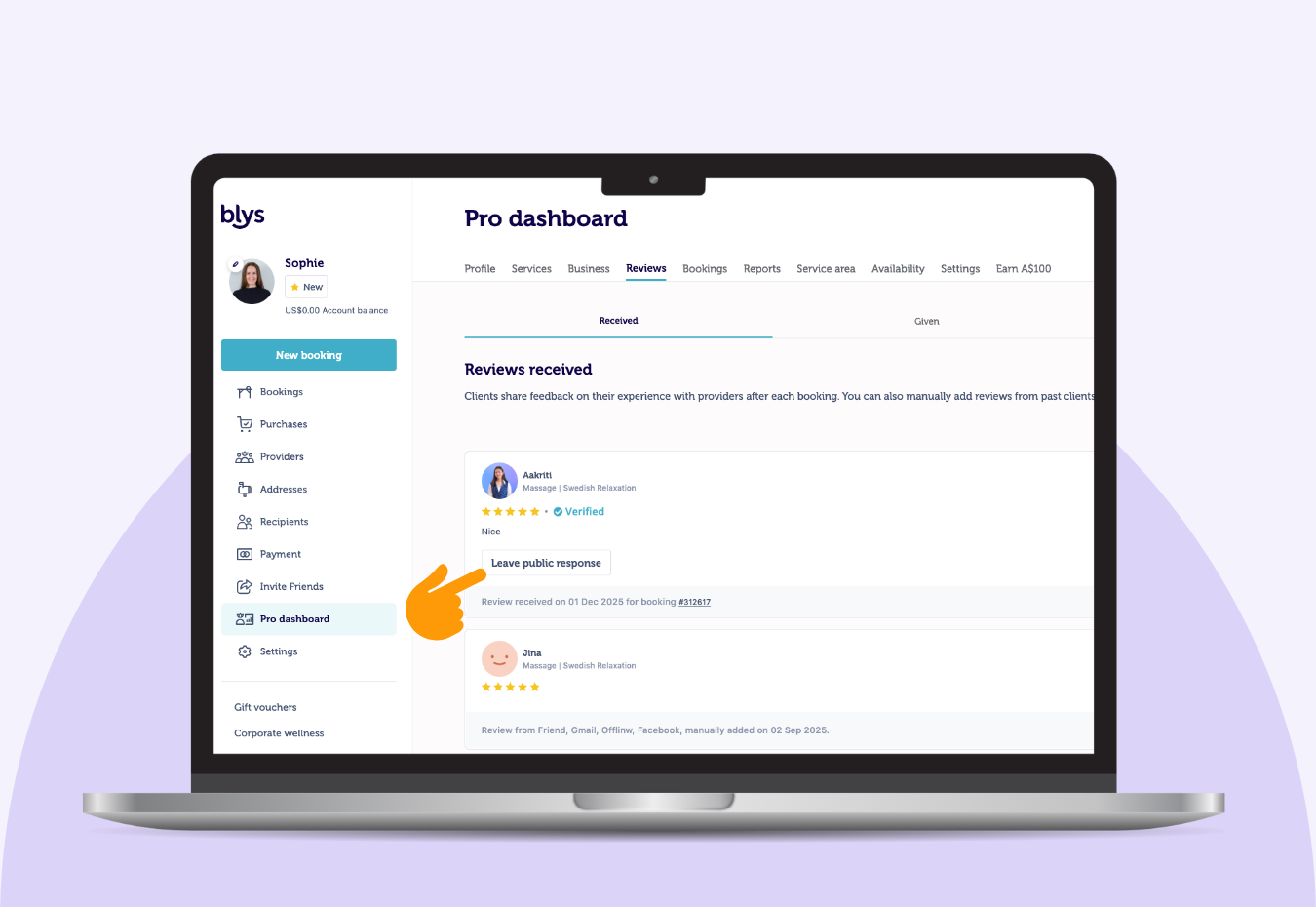
2. Click Leave Public Response on the review you want to reply to.
3. Write your own message or tap Generate with AI for a drafted response.
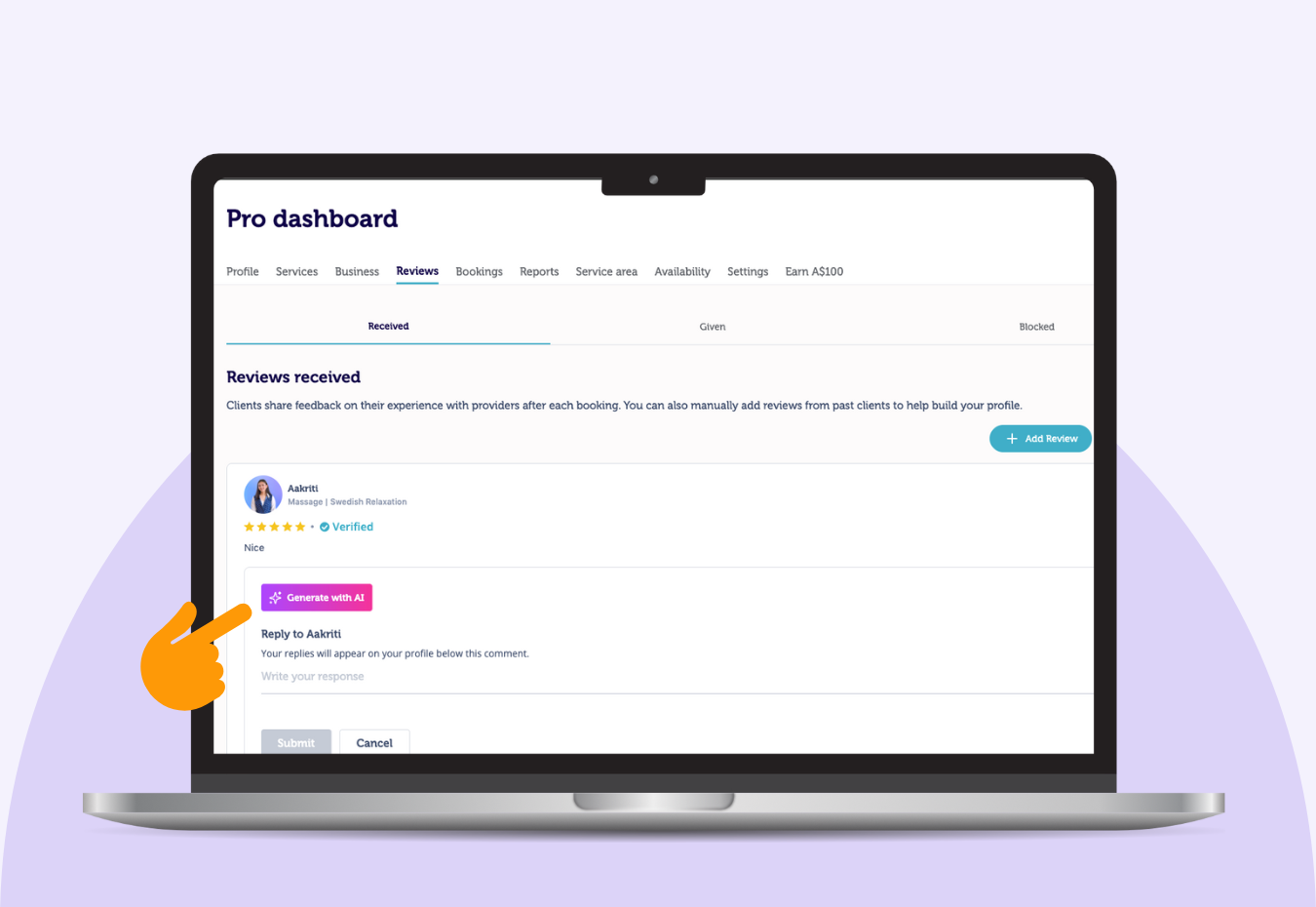
4. Choose to:
- Use this reply
- Try again to regenerate

5. And just like on mobile, you can Improve, Rewrite, or Rephrase the AI-generated reply to perfect it.

Pro Tip
AI gives you a solid foundation, but your authenticity is what clients connect with.
Add little personal touches — gratitude, warmth, and your natural voice — to make each reply feel genuinely you.
Final Thoughts (From Your Future Self)
This new feature gives you more control over your reputation and more ways to communicate with clients.
Whether you’re celebrating a glowing review or offering clarity on constructive feedback, your voice now has a place.
It’s your story. Your professionalism. Your connection.
And now… your reply.
You bring the magic hands — we’ll help you find the words. 💁♀️
Got questions? Just reach out to our support team – we’re here for you.