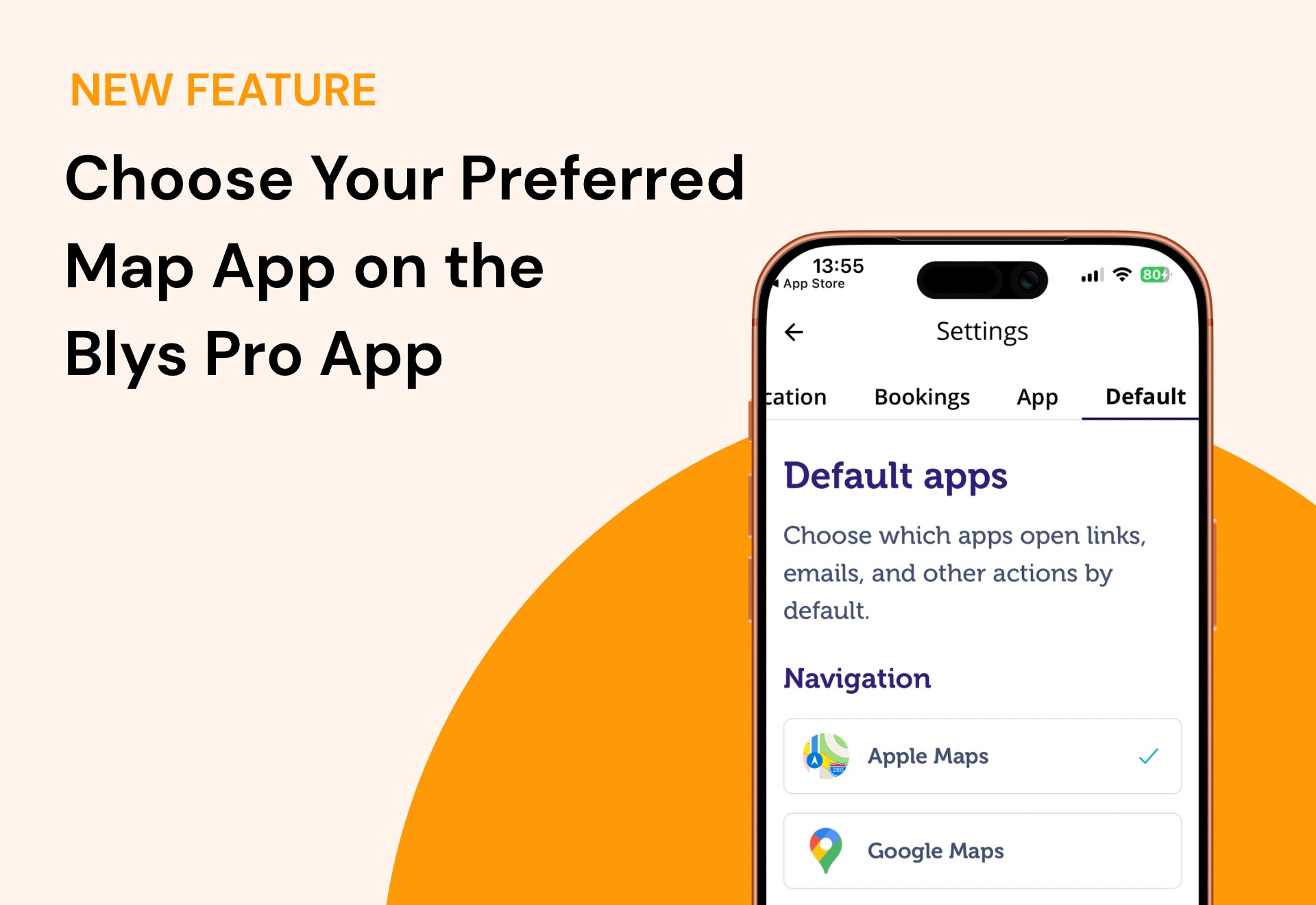
One of our most requested features is finally live—and it’s about to make your day a whole lot smoother. ✨
We know that when you’re on the go, every minute matters. Whether you’re heading to a back-to-back appointment or navigating peak-hour traffic, the last thing you need is friction when opening directions.
So, we’ve made a small (but mighty) update to the Blys Pro app, giving you more control over how you get from your location to your client’s.
You can now choose your preferred map app for opening address links directly from the Blys Pro app.
Instead of automatically opening the default map app on your phone, you’ll now have the option to select what works best for you, depending on the apps available on your phone, whether it’s Google Maps, or Apple Maps.
How It Works
For Mobile
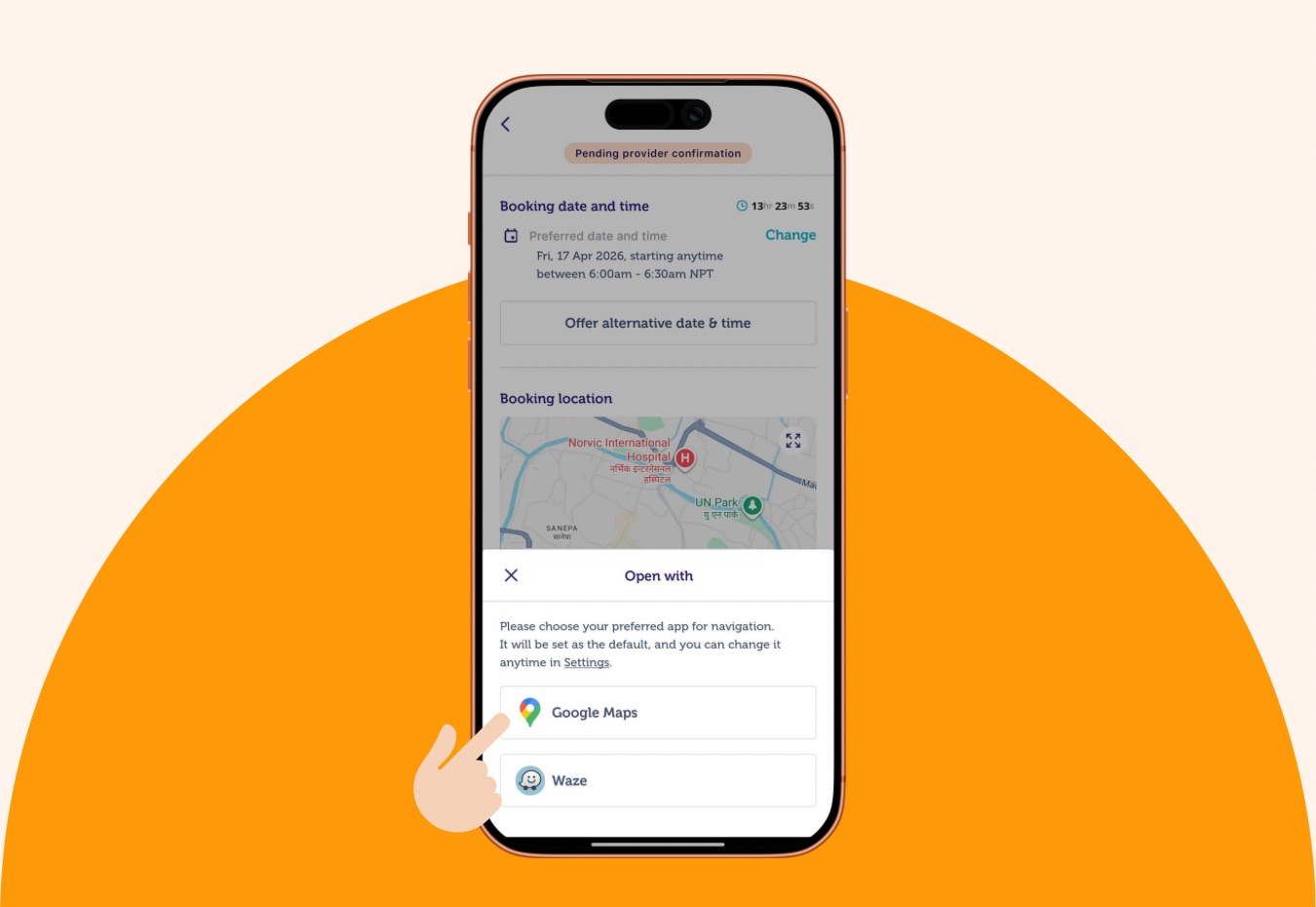
The first time you tap on an address link for a booking in the Blys Pro app, you’ll see a prompt asking you to choose your preferred map app.
Once selected, that app becomes your default for all future address links. Quick. Simple. Done.
We also get that preferences can change.
You can update your default map app anytime in your Blys Pro app by following these steps:
1. Go to Settings by tapping on Profile.
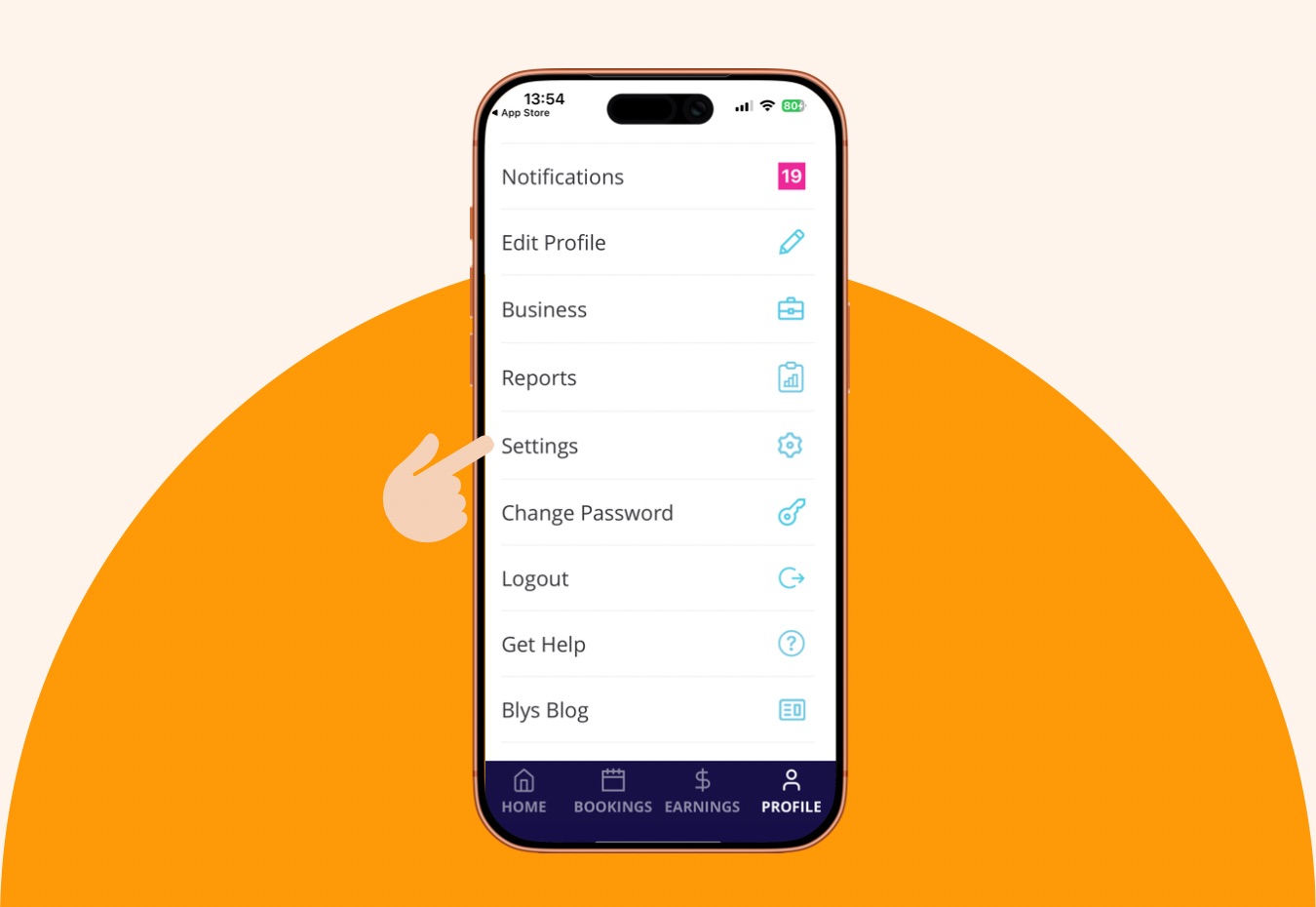
2. Head to Default under the Settings menu.
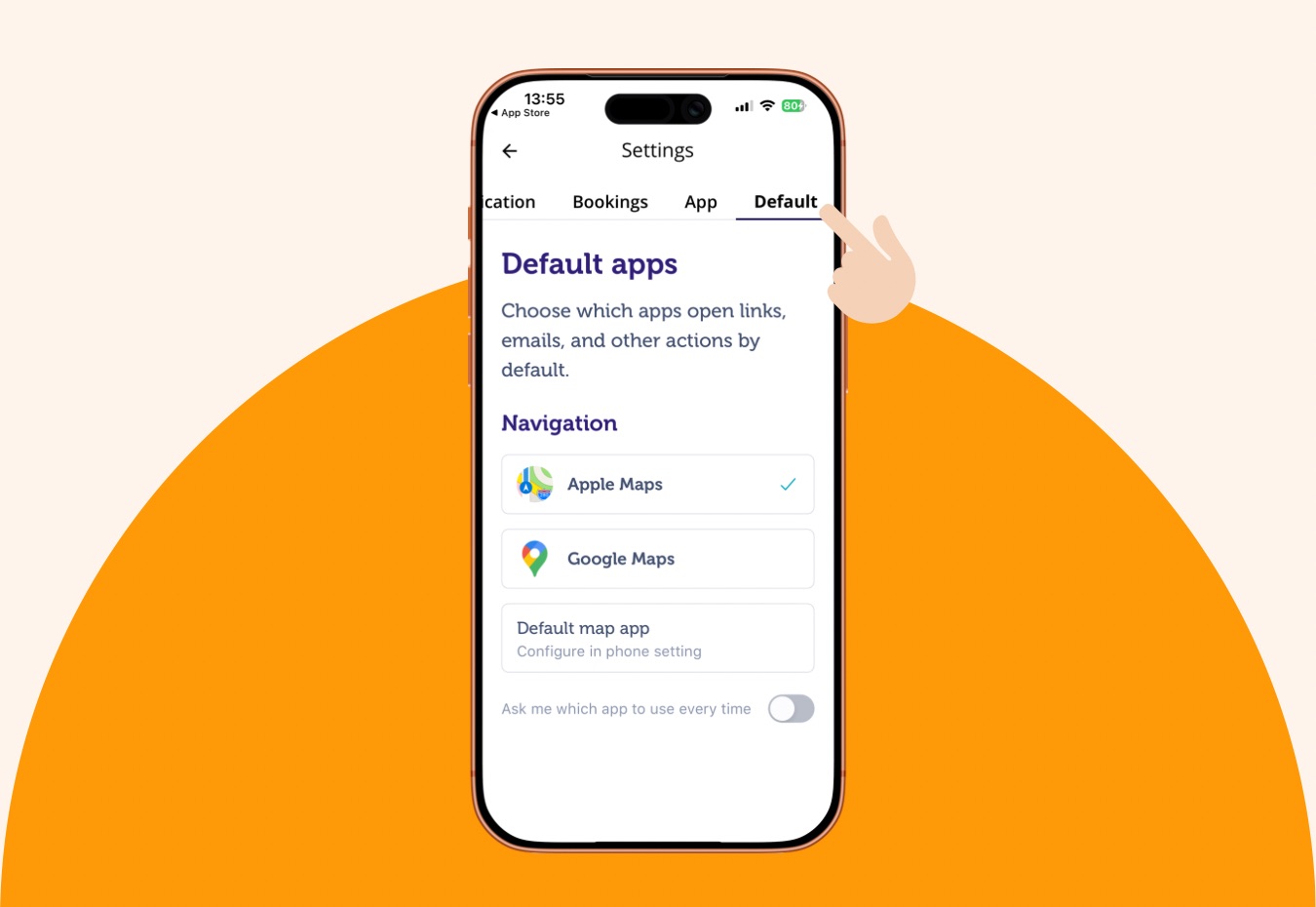
3. Choose the map app you prefer to use.
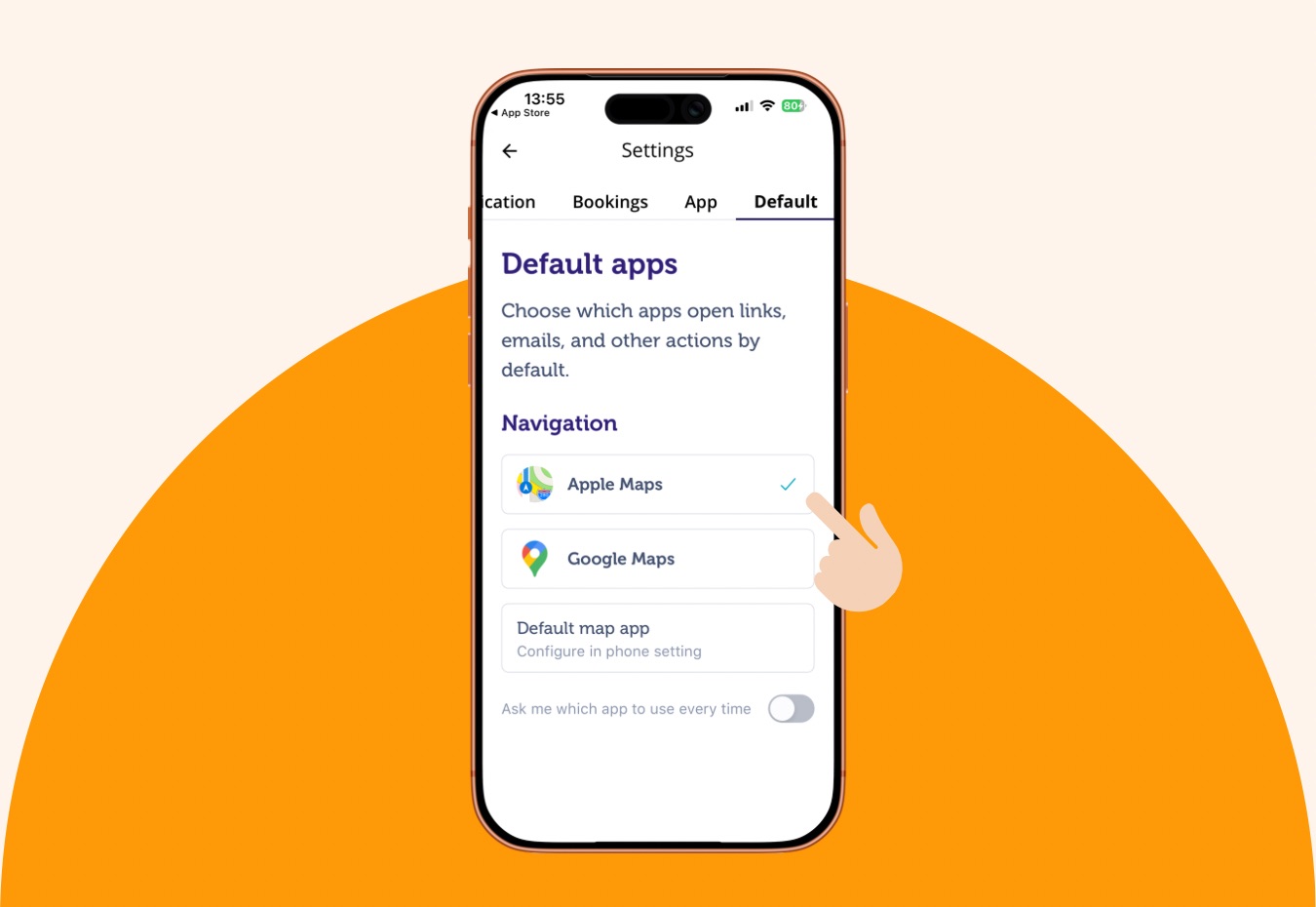
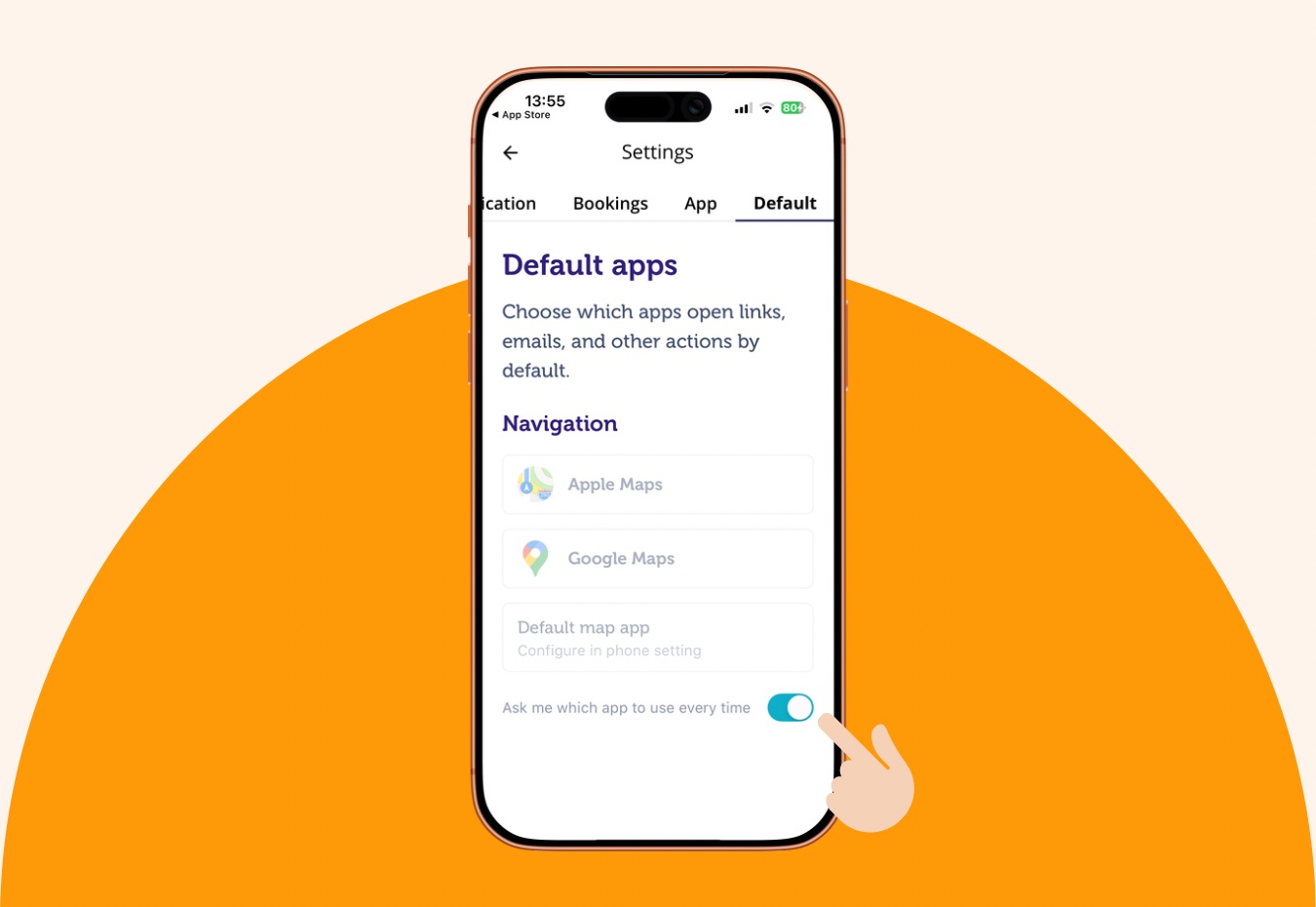
4. You can also toggle on “Ask me which app to use every time”, so that you can opt for any of the map apps available in your device for every other booking.
Why It Matters
This update is all about giving you more flexibility and saving you time.
- No more switching apps manually.
- No more interruptions before hitting the road.
- Just seamless navigation, your way.
Because when your day runs smoother, so does everything else.
Built for Pros, Designed for Real Life
At Blys, we’re always looking for ways to make your experience more efficient (and less clunky 👀).
This update is based on feedback from pros who prefer using different navigation apps, especially those who rely on specific features like real-time traffic updates or familiar routes.
Got feedback on what we should build next? We’re all ears.
Got questions? Just reach out to our support team – we’re here for you.